


How To Easily Add Virtual Outfits And Background Effects To Photos On Your Phone

Have you ever scrolled through social media and wondered how creators achieve those seamless outfit changes? You might assume they rely on expensive desktop software, but modern smartphone apps handle these edits instantly. Ready to discover how you can elevate your photos without leaving your couch?
With artificial intelligence becoming increasingly accessible, transforming your images has never been more straightforward. You can now experiment with diverse aesthetics while keeping your entire workflow on a single device. What visual concepts could you bring to life with the right mobile toolkit?
Building on this mobile convenience, you will quickly notice how AI tools streamline your creative routine.
Why Mobile AI Photo Transformation Is Worth Your Time
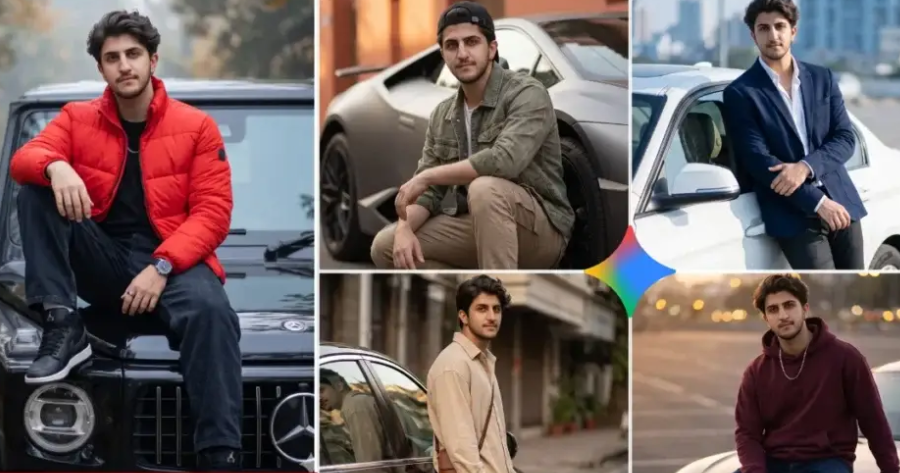
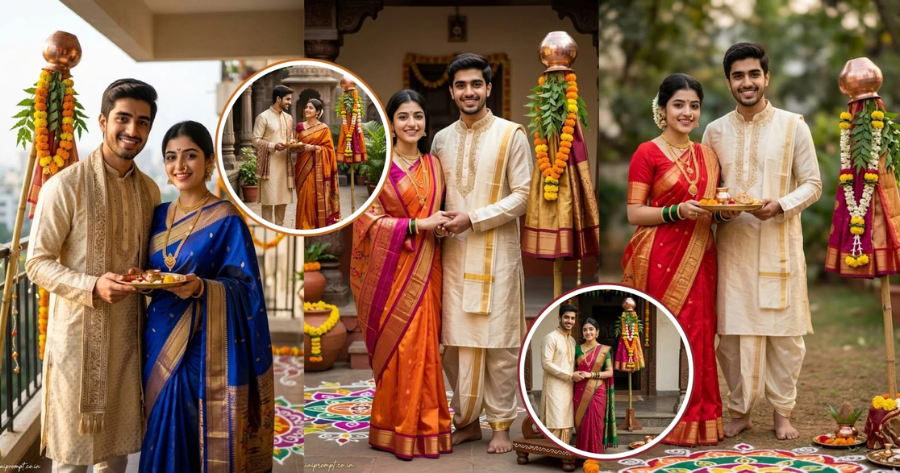
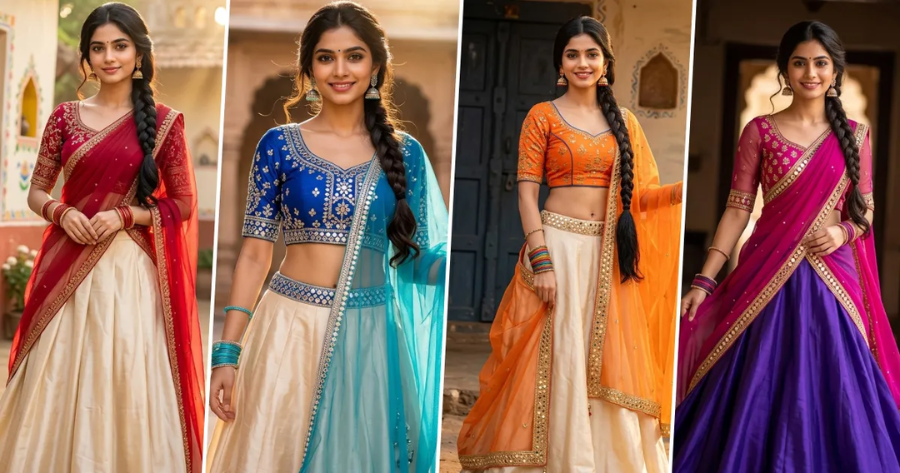
You can experiment with countless digital wardrobe options without purchasing physical garments. This approach allows you to test bold fashion concepts while maintaining complete creative control.
Swapping out distracting backdrops becomes a seamless process that requires zero manual masking skills. The algorithms automatically detect your subject boundaries and apply new environments with impressive accuracy.
Most applications process your requests locally, which helps protect your personal images from unnecessary cloud uploads. You also benefit from consistent branding across platforms by applying uniform scene effects to every post.
Many developers provide generous free tiers that let you explore advanced styling features before considering any upgrades. Would you rather spend hours mastering complex software or focus on sharing engaging content instead?
Moving forward, you can follow this structured workflow to achieve polished results every time.
Step-by-Step Guide to Mobile AI Photo Transformation
Transforming your captures requires a clear process that balances speed with creative flexibility. By following these structured instructions, you can maintain consistency across your entire photo library. Are you prepared to turn your raw shots into share-ready masterpieces?
Step 1: Choose a User-Friendly AI Photo Editor
Begin by downloading a reputable application that specializes in automated image enhancement and styling. Look for platforms that explicitly advertise virtual wardrobe generation and background replacement tools. You can verify app reliability by reading recent user feedback and checking update frequency.
Step 2: Upload and Prepare Your Base Image
Select a clear photograph featuring good lighting and a well-defined central subject. Proper exposure ensures the artificial intelligence accurately detects your natural silhouette and posture. Cropping unnecessary edges before starting significantly reduces processing errors and improves output quality.
Step 3: Apply Virtual Costume Replacements to Your Subject
Navigate to the styling menu and browse through available digital wardrobe categories. Tap your preferred clothing item to trigger the automated replacement algorithm on your figure. The system instantly drapes virtual garments over your existing pose while preserving natural body contours.
Step 4: Generate and Integrate New Background Scenes
Open the environment tab next and choose a backdrop that naturally complements your new attire. The AI engine will automatically remove your original surroundings and calculate perspective alignment for your subject. You can preview multiple scene variations before committing to a final composition.
Step 5: Blend Lighting and Edges for Realistic Results
Review the generated composite and adjust brightness sliders to match your chosen environment. Use the edge refinement brush to smooth out any harsh transitions around your hairline and shoulders. You might also tweak shadow intensity to improve spatial integration within the new scene.
Despite these remarkable advantages, you should anticipate certain technical boundaries during your editing sessions.
Challenges to Be Aware Of
Complex poses or overlapping accessories can occasionally confuse the underlying detection algorithms. You may need to retake your source photo if the system struggles with intricate hand gestures.
Highly detailed fabric textures sometimes appear slightly smoothed during the virtual styling process. Free application tiers frequently include subtle watermarks or limit access to premium environment libraries.
Understanding these constraints helps you set realistic expectations before starting any new project. Are you prepared to work around these minor limitations while refining your workflow?
Moving past these initial hurdles, you can fully embrace the creative freedom this technology offers.
Conclusion
Mastering mobile AI photo transformation opens remarkable possibilities for your digital presence and personal projects. You can now explore diverse visual aesthetics while maintaining complete control over your editing schedule. The underlying algorithms continue improving as developers integrate more sophisticated generative models into standard applications. Where will you direct your creative energy for your next visual experiment?
FAQ
Can I use these mobile apps for commercial photography projects?
Many platforms offer licensing terms that support professional use, but you should always review their specific guidelines first. Some free tiers restrict commercial distribution, while paid subscriptions may grant broader usage rights across multiple networks. Download the official app guide today to verify your specific usage rights before publishing.
How do I ensure virtual outfits look natural on different body types?
Most AI editors automatically adjust garment proportions based on your initial silhouette and standing posture. You can enhance realism by selecting reference poses that keep your arms slightly away from your torso. Try different digital clothing combinations today to discover your most flattering style.
Will replacing my background affect the original lighting on my face?
Advanced algorithms typically analyze your source photo to preserve natural skin tones and existing facial shadows. You may need to manually adjust the ambient brightness slider to match your newly selected environment. Adjust the lighting sliders now to achieve perfect visual harmony in your next post.
What happens if the AI struggles to separate my hair from a busy background?
Complex edges often require additional manual refinement within the application's dedicated adjustment panel. You can use precision brush tools to outline fine strands and improve the separation algorithm accuracy. Use the manual brush tool today to refine those tricky edges for flawless results.
Most Read

How To Earn Coins To Unlock Cosmetics In Roblox Mukbang Game
How To Improve Your Posture While Working At A Desk

Understanding Buy Here Pay Here Dealerships For Budget-Conscious Car Shoppers

How To Get 99 Nights In The Forest Codes: A Complete Step-by-Step Guide

How To Earn And Use Avatar World Free Coins: A Complete Guide
How To Master Garry’s Mod Addon Setup Tricks: A Complete Player’s Guide
Subscribe For New Quizzes


Copyright © 2019-2026 | All rights reserved.