


How To See Any Face Older Or Younger Using AI Aging Filters

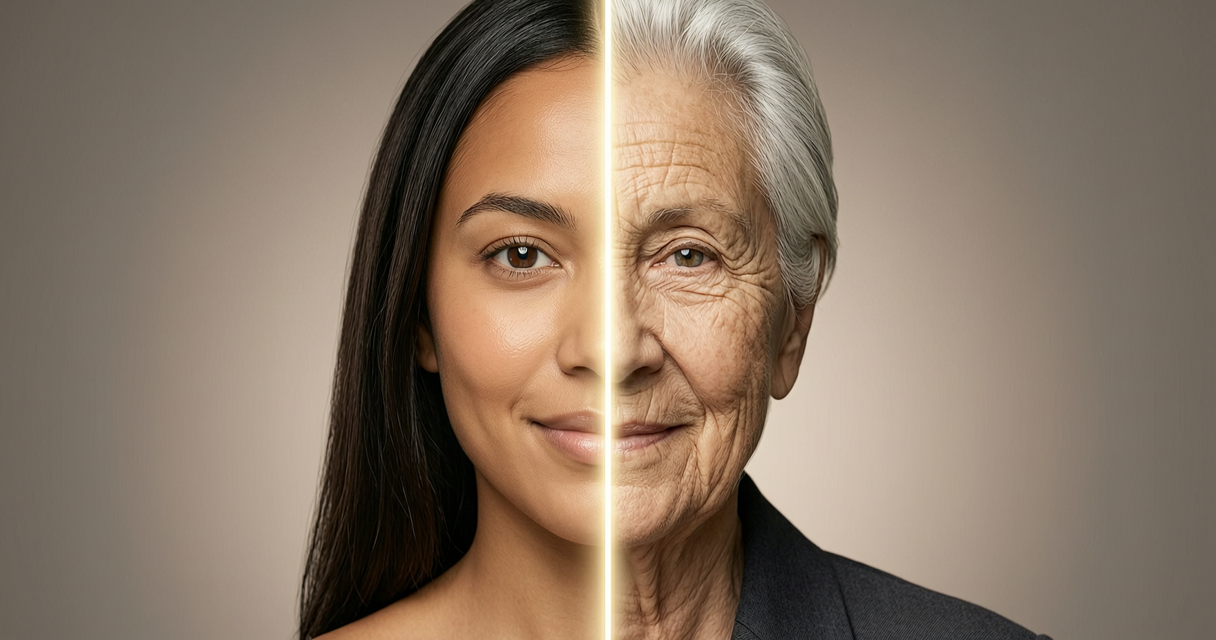
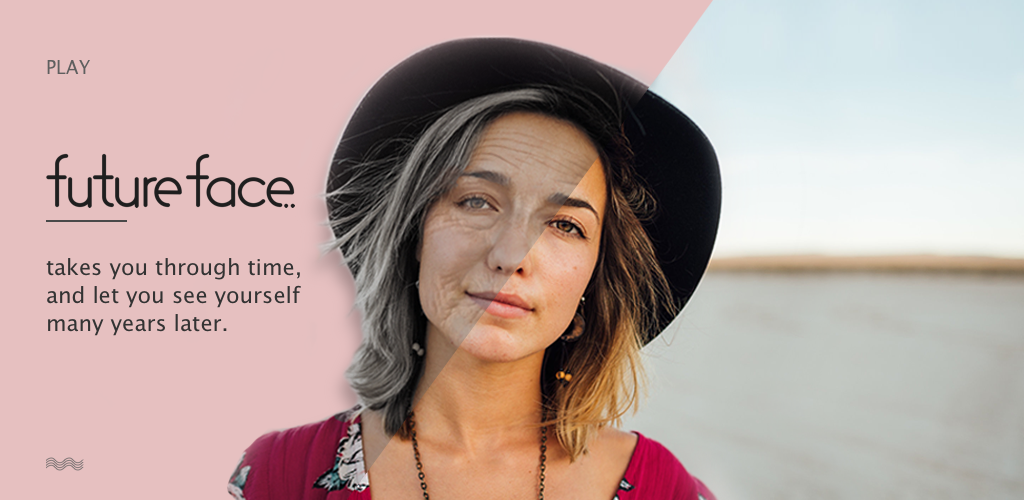
To start your journey, have you ever truly wondered what your younger self might actually look like today? Modern AI aging filters can potentially reveal those fascinating visual shifts without requiring any advanced technical editing skills. You simply upload a clear portrait and let the algorithm handle the heavy lifting automatically.
Moving forward, social media creators and casual enthusiasts alike can explore these features to significantly boost their visual storytelling capabilities. This guide offers a highly practical approach that carefully prioritizes both output quality and user data security. Are you ready to transform your personal gallery into a dynamic visual timeline?
Why AI Face Age Transformation Is Worth Your Time
Beyond simple entertainment, you can potentially unlock several creative advantages when exploring digital age transitions. First, adding temporal depth to your portraits may significantly enhance your overall visual storytelling capabilities. Second, sharing these unique transformations often boosts audience engagement through highly relatable thematic elements.
Additionally, experimenting with different filters allows you to safely practice advanced composition techniques. These tools also provide a remarkably accessible entry point into broader digital art workflows. Does your current creative routine need a fresh visual spark?
Step-by-Step Guide to AI Face Age Transformation
Step 1: Select a High-Quality Source Photo
To begin the process, you should carefully choose a clear, front-facing portrait with even lighting. Avoid heavy filters or excessive makeup that might confuse the underlying algorithm. A neutral expression often yields the most accurate baseline for transformation.
Step 2: Choose a Privacy-Focused Platform
Next, you must research applications that explicitly state how they handle uploaded biometric data. Look for platforms that process images locally or automatically delete files after generation. Why risk your personal data when secure alternatives exist?
Step 3: Configure Realistic Aging Parameters
Following that, navigate to the age slider or timeline feature to target specific life stages. Increase the intensity gradually rather than applying maximum force immediately. How will you decide which age markers to emphasize for your specific project?
Step 4: Refine De-Aging Effects for Natural Results
Conversely, reverse the workflow by carefully reducing visible age lines and softening skin textures. Pay close attention to hairline adjustments and subtle volume changes in the cheeks. Does your current draft look slightly too polished or artificial?
Step 5: Harmonize Lighting and Environmental Context
Meanwhile, match the generated facial features with appropriate ambient lighting conditions throughout the image. Older skin often reflects light differently, requiring subtle contrast adjustments across the frame. Are you ready to blend the new elements seamlessly into your composition?
Step 6: Export and Archive the Final Image
Finally, save your creation in a lossless format to preserve all generated details. Consider adding descriptive tags and specific dates for future reference within your personal library. What unique story will this transformed visual ultimately tell your audience?
Challenges to Be Aware Of
On the downside, algorithmic biases can sometimes produce inconsistent results across different ethnic backgrounds. You may notice uneven texture application or unnatural facial distortions in certain lighting scenarios. Testing multiple platforms often helps you find the most reliable rendering engine.
Furthermore, data retention policies vary widely, which requires careful review before uploading sensitive portraits. Some services might retain your images for model training without explicit prior consent. Always check for opt-out options or local processing features to maintain full control.
Lastly, over-reliance on automated filters might limit your manual editing growth over time. Relying entirely on presets can significantly reduce your ability to troubleshoot complex visual issues manually. Have you considered how these tools might shape your long-term editing habits?
Conclusion
Ultimately, exploring AI face age transformation opens a fascinating doorway into digital creativity. You now possess a practical roadmap that balances technical quality with strong privacy standards. Which visual timeline will you share with your audience first?
FAQ
How do I achieve realistic aging and de-aging effects without distorting facial features?
Focus on gradual parameter adjustments rather than extreme slider positions. You can preserve natural bone structure by combining AI generation with subtle manual retouching. Test multiple base photos to find the optimal facial alignment for your chosen platform. Start your next project with a clean, well-lit portrait today.
Can AI aging filters accurately reflect genuine biological aging processes?
These algorithms simulate common visual patterns but cannot replicate individual genetic factors. You should view the output as an artistic interpretation rather than a scientific prediction. Incorporating reference images from your own family history may improve your creative accuracy. Explore your favorite editing tool to see how it handles subtle age progression.
Are uploaded photos permanently stored by the service providers?
Storage practices depend entirely on each platform's specific data retention policy. Many reputable applications automatically delete source files shortly after processing your request. You can verify this behavior by reviewing the official terms and privacy documentation. Always prioritize services that offer transparent data handling before beginning.
What image formats work best for high-quality age transformations?
Uncompressed formats like PNG or TIFF typically preserve the most detail during processing. You might experience quality loss when starting with heavily compressed JPEG files. Converting your original captures to a higher resolution format can improve algorithmic recognition. Upgrade your source library to maximize the visual impact of your next edit.


Most Read

How To Individualize Your Aesthetic And Lifestyle Based On Your Name

A Senior's Guide To Reliable Used Cars Under 1,000 Dollars
How To Find An Online French Language Course For Your Learning Goals
How To Install Popular Garry’s Mod Addons In 5 Minutes (Safely)
How To Get Robux In Roblox Securely
Rebirth In High School: Dumping My Jerk Husband
Subscribe For New Quizzes


Copyright © 2019-2026 | All rights reserved.